On this page
- What goes on a fabrication drawing?
- Which views do you need to draw?
- How should you dimension a fabrication drawing?
- What goes in the title block and revision box?
- How do you write the material list and cut list?
- How do you add weld notes and finish notes?
- Should you draw by hand, in CAD or with a configurator?
- Common questions
A good fabrication drawing means nobody walks over to ask a question. The welder can cut every piece, set it out, weld it and finish it from the paper alone. A bad one means phone calls and a gate that does not fit the hole.
This guide walks through what goes on the sheet, in the order I would draw it. It works the same whether you draw by hand, in CAD or with a configurator. The examples use a simple aluminium pedestrian gate, but the steps fit any frame job.
What you need to know
- Draw the front view first, then the side and plan, then sections and details where a joint needs it.
- Dimension the overall sizes first, then centres. Use baseline sizes where errors must not add up.
- Every sheet needs a title block with job, scale, date, drawer and a revision letter.
- Add a material list, a cutting list, weld notes and a finish note before it goes to the floor.
- Pick the tool to suit the job: hand sketch, general CAD, or a configurator for catalogue items.
What goes on a fabrication drawing?
A complete fabrication drawing has seven parts:
- Views of the item (front, side, plan, plus sections and details).
- Dimensions.
- A title block.
- A revision record.
- A material list and a cutting list.
- Weld notes or weld symbols.
- A finish note.
If the drawing is going to a client or builder for approval first, it is often called a shop drawing. The shop drawing vs fabrication drawing guide explains the difference. For a gate-specific checklist, see what to include on a gate fabrication drawing.
Which views do you need to draw?
Start with the front elevation. It is the view the welder looks at most. Draw the whole item as if you are standing square in front of it.
- Front view. Overall width and height, frame members, infill, hinge and latch positions.
- Side view. Depth of the frame, how the infill sits (centred, front face or back face), hinge offsets.
- Plan view. Looking down. Shows posts, the swing or slide path and where the item sits on the slab or ground. See plan view.
- Sections. Cut through the item to show what you cannot see from outside, such as a batten fixed inside a channel.
- Details. A blown-up view of one corner, hinge or latch at a bigger scale, so small sizes are easy to read.
Line the views up. The side view sits beside the front view at the same height, and the plan sits above or below it. That way a size can be carried across with a straight edge. Write the scale under each view, and never make anyone measure off the paper.
How should you dimension a fabrication drawing?
Dimensions are where most drawings go wrong. Follow these rules and the sizes stay clear.
- All sizes in millimetres. Say so once in the title block and leave the "mm" off every number.
- Overall sizes first. Width, height and depth sit on the outside of the view, furthest from the part.
- Centres next. Rails, posts, holes and hinges are set out to their centre lines. A centre line is easy to mark and easy to check.
- Each size once. Do not show the same size in two places. When it changes, one of them gets missed.
- Leave one size out of a full chain. If the overall is 1000, do not also add up every piece to 1000. One gap is left to absorb the error.
Then pick chain or baseline. A chain dimension runs from one feature to the next. A baseline dimension runs from one fixed end to every feature.
Use chain sizes for equal spacing, like batten gaps. Use baseline sizes for hole positions and rail heights, where a 1 mm error on each mark would turn into 4 mm by the far end. Draw each size with a proper dimension line and extension lines.
What goes in the title block and revision box?
The title block sits in the bottom right corner of every sheet. It tells anyone holding the page what job it belongs to and whether it is the latest one.
- Your business name and contact details.
- Client name and site address.
- Item name, such as "Pedestrian gate, front path".
- Drawing number and sheet number ("Sheet 2 of 4").
- Scale, units and paper size.
- Drawn by, checked by and date.
- Revision letter.
Every time the drawing changes after it has left your desk, bump the revision letter: A, then B, then C. Add a line to the revision box saying what changed and when. "Rev B: height 1800 to 1700" is plenty. Cloud the changed area on the sheet so the welder spots it.
How do you write the material list and cut list?
The material list says what to order. The cutting list says what to cut. List every piece with a mark, the profile, the length, the quantity and the end cut.
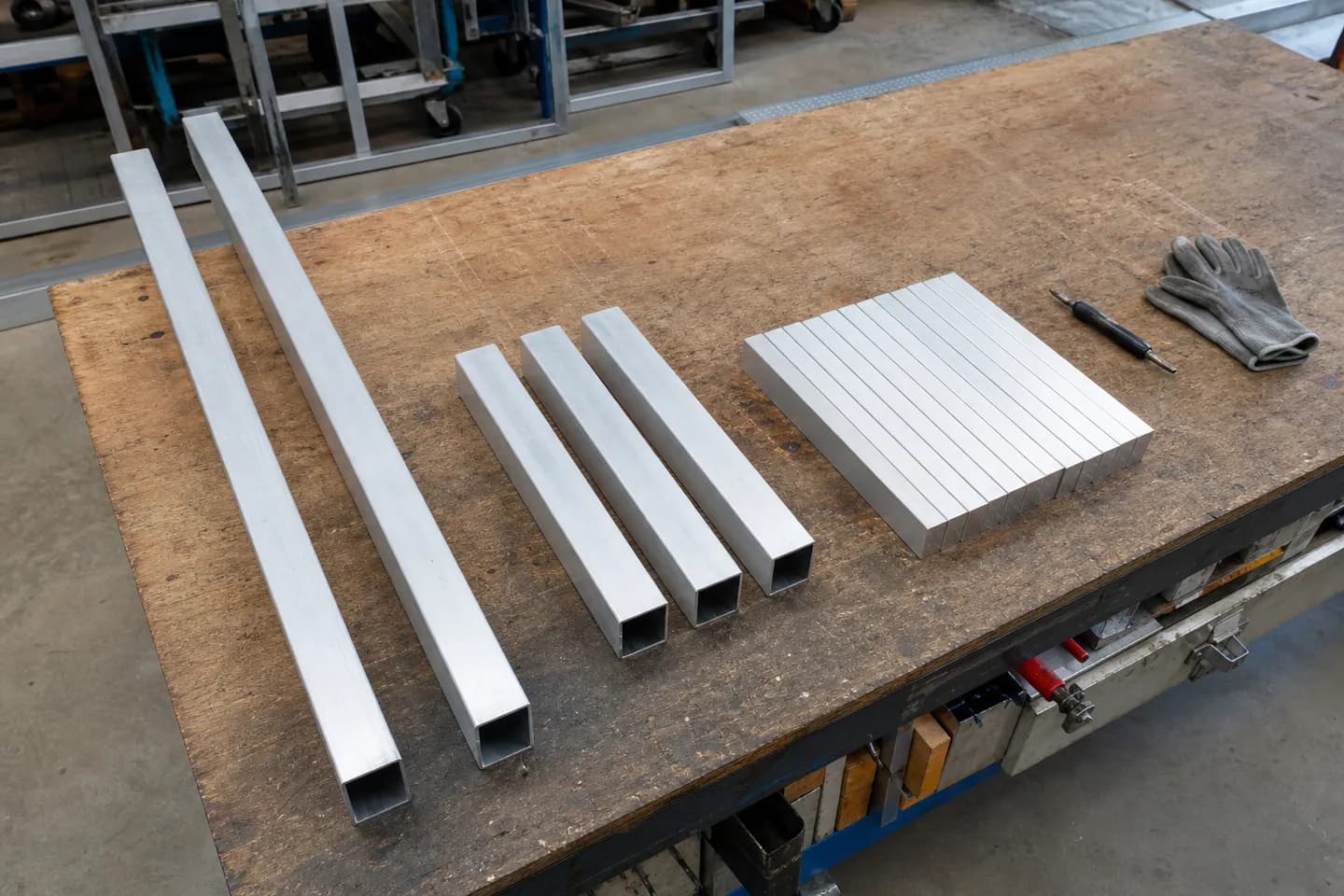
Here is the list for a 1000 wide by 1700 high pedestrian gate leaf. The stiles run the full height, the rails fit between them, and 12 battens at 65 wide with 20 gaps fill the 1000 width exactly.
| Mark | Part | Profile | Length | Qty | Ends |
|---|---|---|---|---|---|
| S1 | Stile | 50x50x3 SHS | 1700 | 2 | Square |
| R1 | Top and bottom rail | 50x50x3 SHS | 900 | 2 | Square |
| R2 | Mid rail | 50x50x3 SHS | 900 | 1 | Square |
| B1 | Batten | 65x16 flat | 1700 | 12 | Square |
Put the same marks on the views, so the welder can match a piece on the bench to its spot on the drawing. The gate cut list guide goes deeper on saw allowance and how to group cuts to save stock.
How do you add weld notes and finish notes?
You have two ways to show welds. On simple frames a general note is enough, such as "All joints fully welded all round, 3 mm fillet, ground flush on show faces unless noted". Then add a weld symbol only where a joint is different, such as a stitch weld on battens or a hinge that is welded on site.
If you are not sure what each part of the symbol means, read how to read weld symbols before you draw one. A wrong symbol is worse than a clear note.
The finish note tells the floor what happens after welding. Include:
- The finish: powder coat, anodising or mill finish.
- The colour, by its full name and finish (matt, satin, gloss).
- Which faces get ground flush, and which welds can stay as welded.
- Drain and vent holes, if the coater needs them.
Should you draw by hand, in CAD or with a configurator?
All three work. They suit different jobs.
- Hand sketch. Free and quick for a one-off you are building yourself. Hard to change, hard to read for anyone else, and no cutting list unless you write it. The drawings without CAD guide has tips.
- General CAD. AutoCAD, Fusion, SketchUp and the like can draw anything. They take time to learn, and each new job is drawn from scratch or from an old file you edit.
- A configurator like CAD60. You pick a model, type your sizes and get the full set: views, dimensions, title block and cutting list. Drawings in 60 seconds. The catch is that it only draws the models in its catalogue. It is not general CAD.
Whichever way you go, run the checks below before the drawing leaves your hands.
Add up the sizes
Check that the chain sizes add up to the overall, with one gap left open.
Match the cut list to the views
Every mark on the views is in the list, with the right quantity.
Read the title block
Right job, right date, right revision letter.
Common questions
What is the difference between a fabrication drawing and an assembly drawing?
An assembly drawing shows how finished parts go together. A fabrication drawing shows how to make the parts and the welded frame, with cut lengths, holes and welds. Many gate drawings combine both on the same set.
What scale should a fabrication drawing be?
Pick the scale that fits the whole item on the sheet with room for dimensions. A gate on A3 often lands at 1:10 or 1:20. Details go bigger, such as 1:2 or 1:5. Always write the scale under each view.
Should dimensions go to the outside of the tube or the centre?
Overall sizes go to the outside faces, because that is what has to fit the opening. Set-out sizes for rails, posts and holes usually go to centre lines. Be consistent and say which on the drawing.
Do I need weld symbols on every joint?
No. A general weld note covers the common joints. Use a symbol only where a joint is different from the note, such as an intermittent weld or a site weld.
What paper size is best for fabrication drawings?
A3 is the common choice for a bench drawing because it is big enough to read and still fits a home printer. A4 works for simple items with a clear layout. Larger sheets suit big structural jobs.
Can I make a fabrication drawing without CAD?
Yes. A neat hand drawing on grid paper with a title block, clear dimensions and a cut list works for simple jobs. For items in its catalogue, a configurator like CAD60 draws the set from your sizes.
Written by Harry Tolley
Harry builds CAD60 with his dad, who has run a fabrication business for 20 years. We write these guides from what goes wrong in a real shop.